
VCH Extension: VA Claim Tracker
Track VA claims, ratings, and appeals from your signed-in VA.gov session, plus quick access to Veterans Central Hub and ClaimBuilder. Your VA password never goes to VCH. The extension reads the same JSON endpoints VA.gov already uses while you are logged in.
Early access build 0.1.18 · free · not from the Chrome Web Store yet
Install in Chrome or Edge (developer preview)
Chrome Web Store listing coming later. Download the zip from this site, then follow the steps below.
- Click above. Save the file to your Downloads folder. (Bookmark this install page, not the zip URL, so refresh stays on these steps.)
- In Downloads, right-click the zip file → Extract All → Extract. Leave the new folder in Downloads (or move it somewhere you will remember).
- In Chrome, type
chrome://extensionsin the address bar and press Enter. (In Edge, useedge://extensions.) - Turn Developer mode on (switch at the top right).
- Click Load unpacked (top left). Open the folder you extracted and select it.
- Click the puzzle piece in Chrome’s toolbar → find VCH Web Extension → click the pin icon.
- Sign in at VA.gov, open Your claims once, then click the VCH icon to see your claims.
Chrome may warn that the extension is not from the Web Store. That is expected for this early access build. The extension does not ask for your VA.gov password.
Source code: GitHub.
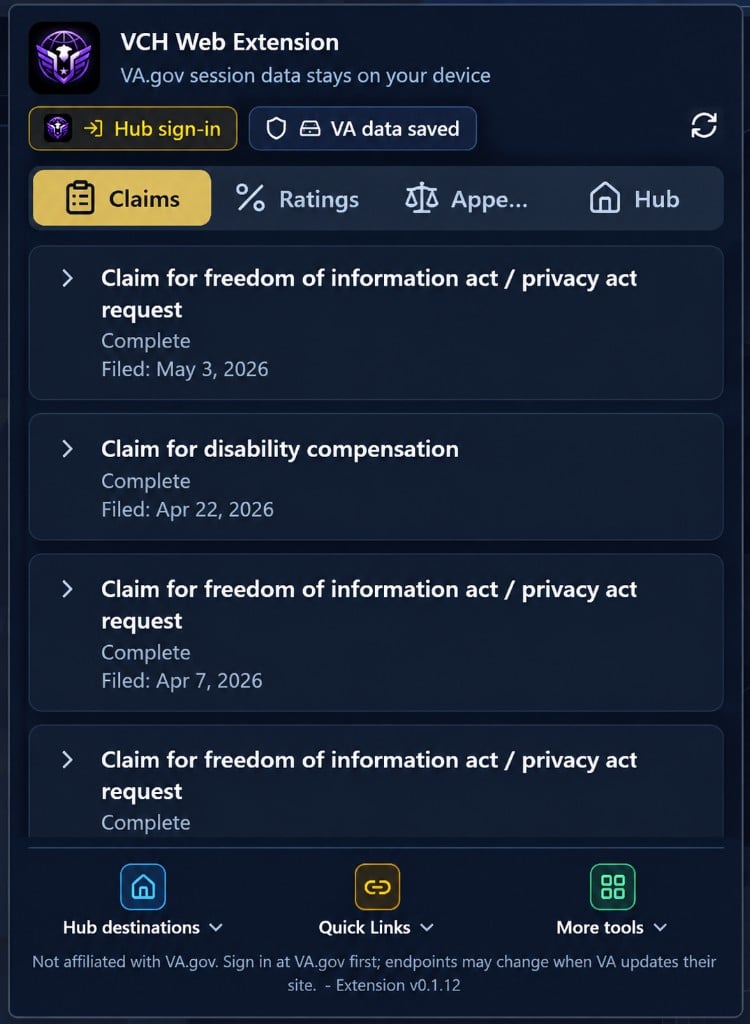
Track claims from your toolbar
Claims, ratings, and appeals while you stay signed in to VA.gov.
Open the extension popup to see claim status, phases, and details pulled from the same api.va.gov endpoints VA.gov uses. Claim lists, ratings, and appeals stay in extension storage on your device by default. VCH servers do not receive your VA password or full VA session.
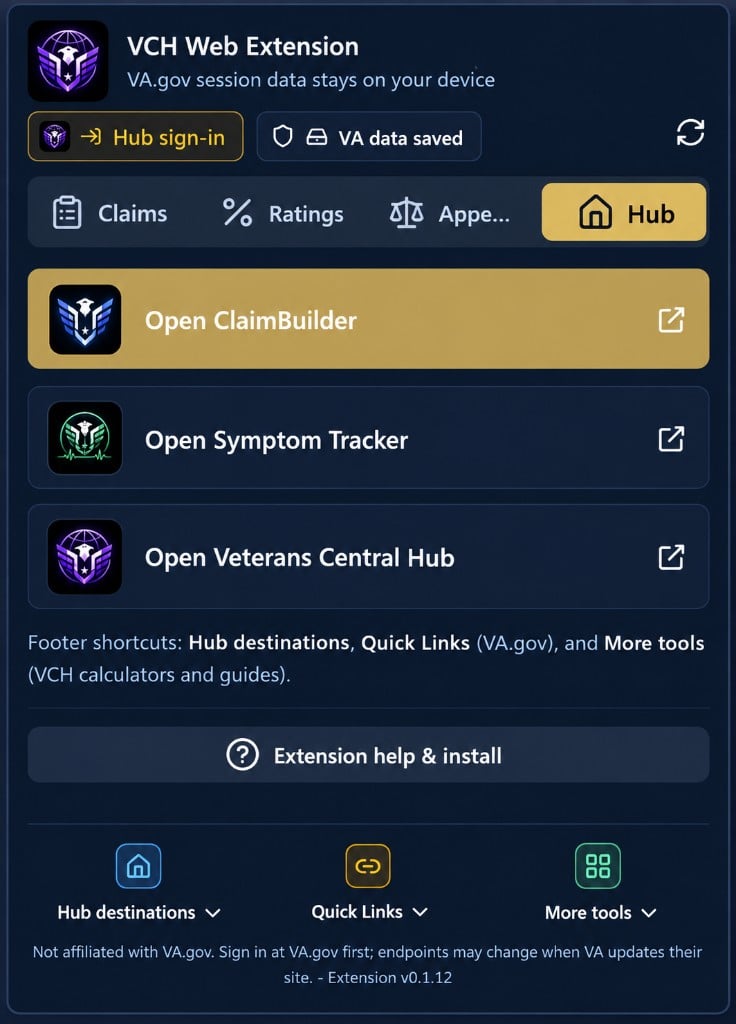
Launch Hub tools in one click
ClaimBuilder, Symptom Tracker, and veteranscentralhub.com.
Use the Hub tab to jump straight to ClaimBuilder, Symptom Tracker, or the main Hub, plus footer shortcuts for VA.gov quick links, calculators, and guides.
Claim tracker (first tab)
See open claims, phases, and details from api.va.gov while you are signed in to VA.gov.
Ratings & appeals
Rated disabilities and appeals tabs use the same session. No separate VA API keys required.
Track + letters (optional)
Sync on VA.gov can forward track snapshots and VA decision letter PDFs to ClaimBuilder when you are signed in to Hub in the same browser.
Hub shortcut
Jump to Benefits, Services, Donate, Dashboard, or ClaimBuilder on veteranscentralhub.com.
Built with Nuxt UI
Same design language as the Hub and ClaimBuilder, packaged as a small browser popup.
How claim tracking works
- Sign in at VA.gov in Chrome (Login.gov, ID.me, etc.).
- Open Manage claims and appeals at least once so your session is active.
- Click the VCH extension. Claims is the first tab. Lists and tracker data stay on your device unless you use optional ClaimBuilder sync (see privacy link below).
Uses public api.va.gov/v0/ endpoints (same pattern as community claim trackers). VA may change these without notice.
Optional ClaimBuilder sync
When you are signed in to Veterans Central Hub in the same browser, Sync on VA.gov may send claims, appeals, and available VA decision letter PDFs to your ClaimBuilder account for Track claims. The extension forwards letter PDFs during sync; it does not keep a long-term letter library on your device. Populate ClaimBuilder in the extension popup is a separate, checkbox-controlled import for ratings and profile fields.
Built to complement, not compete
- We do not inject scripts into VA.gov or try to replace veteran-built extensions you already use for forms, overlays, and on-site help.
- VCH focuses on claim status in the popup, quick access to Hub and ClaimBuilder, and keeping your prep organized.
- Keep using the tools you trust on VA.gov. Use VCH to track, prep, and organize.
What it is and what it is not
- VA claim tracker: claims, disability ratings, and appeals in your browser toolbar
- Hub launcher: Benefits, Services, Donate, Dashboard, and ClaimBuilder on veteranscentralhub.com
- Not affiliated with VA.gov or the U.S. Department of Veterans Affairs
- Not a form filler. It does not submit claims or change anything on VA.gov
Questions or feedback? Contact VCH · Extension privacy · Extension terms